What Type of Computer Do I Need?
Everyone asks, “What type of computer do I need?” Picking the right computer can be as hard as picking a TV show to watch all at once—so many choices, so little time! Don’t worry, though—this guide will help you figure it out, whether you want a desktop, a laptop, or something more specialized like a game PC or ultrabook. Here’s the Computer buying guide to help you find the right one for you.
Get to know the all Candidates: Types of Computers
Before you decide, you need to know about the different kinds of computers and who they’re best for.
Desktops
Desktop machines are great for people, gamers, and anyone else who wants a reliable machine to perform a lot of work. Powerful for things like games, editing videos, and doing many things at once.It’s simple to add more RAM, disk space, or a better graphics card.Perfect for home offices with bigger screens and more comfortable chairs.
The bad thing:
If you want to move a desktop, it’s like carrying a mini-fridge.
Laptop
Best computer for students is laptop. People who work from home, and anyone else who likes being mobile should get a laptop. It’s small and light, so you can work in coffee shops or on planes.For working on the go, it has a battery built in.There are a lot of choices for every income, from cheap laptops to high-end ultrabooks.
PCs for games
What are they for?
Graphic designers, streamers, and gamers who need top-notch efficiency. It was made to be fast and have beautiful graphics, making it great for 3D rendering or immersive gaming. With RGB lights and advanced cooling systems, it’s very easy to change things. They’re not just computers; they’re works of art.
The bad thing:
It’s expensive, but the result is well worth the money.
All-in-one Desktops
PCs that do everything. minimalists or people who don’t have a lot of desk room. combines the CPU and monitor into a single, sleek device, which makes things look cleaner. Great for everyday jobs or creative work like editing photos.
The bad thing:
Compared to regular desktops, there aren’t as many ways to update.
Two-in-ones and tablets
What are they for?
Casual users and artists who like having a lot of freedom. Touchscreen features let you draw, swipe, and take notes. Designs that can be changed from tablet to laptop mode.
The bad thing:
Not the best for games or heavy-duty work.
Matchmaking: How to choose your right computer
How to choose a computer, start by defining your purpose. Here’s a guide to match your needs with the perfect machine:
Basic Use
Recommended Options:
Budget laptops with 4GB-8GB RAM and processors like Intel Core i3 or AMD Ryzen 3. Desktops for basic use if portability isn’t a concern. Why Choose This? Economical and user-friendly, these computers are perfect for browsing, email, and light office tasks.
Gaming
Recommended Options:
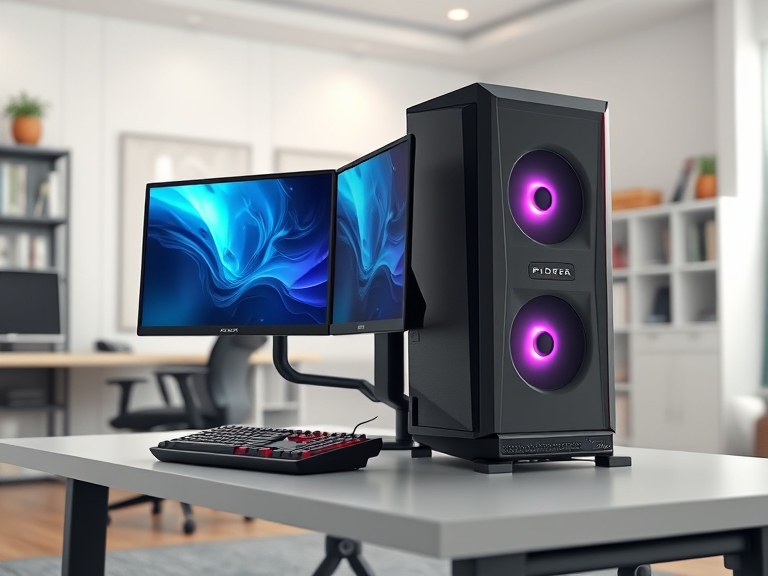
Gaming laptops with dedicated GPUs and high-refresh-rate displays. Check VR compatibility if you’re into virtual reality gaming. Why Choose This? Built for performance, gaming computers deliver smooth, immersive experiences.
Content Creation
Recommended Options:
Gaming PCs are having GPUs and at least 16 GB RAM, Therefore, they are recommended for this category.
Portability
Recommended Options:
Ultrabooks like the Dell XPS or MacBook Air. Lightweight laptops with long battery life, such as Lenovo ThinkPad X1 Carbon. Why Choose This? Portable computers let you work or study from anywhere without compromising on convenience.
Figuring Out Key Parts
When you compare different kinds of computers, keep these things in mind:
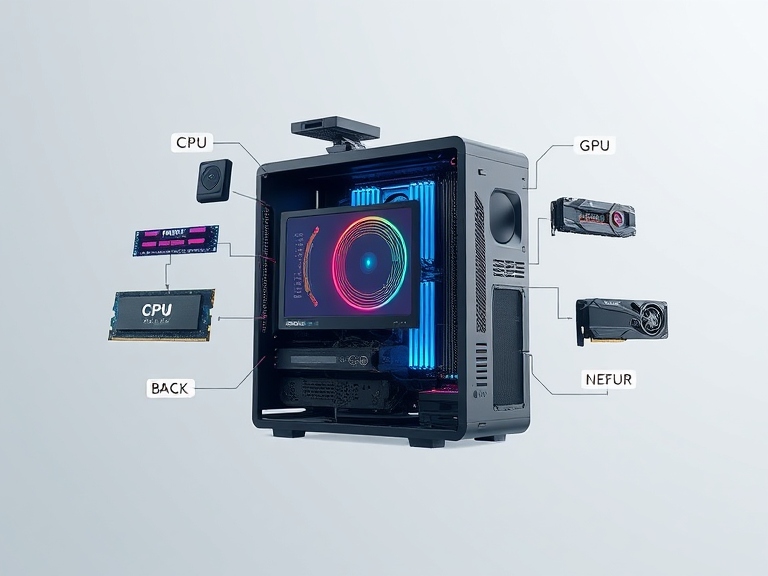
Processor (CPU): Intel Core i5 for simple jobs, i7 or i9 for gaming and doing many things at once.
RAM: You need at least 8GB for smooth performance and 16GB or more for games or making content.
Drive space: SSDs are faster than HDDs; try to get at least 256GB.A graphics card, or GPU, is necessary for playing games and editing videos. Find an NVIDIA GeForce GTX or RTX.
Size of Screen: Screen size between 13-15 inch is good for portability and a bigger screen for artistic work and doing more than one thing at once.
In real life, what type of computer would be best for me?

The Best Computer for School: Choose between cheap computers or light Chromebooks.Why: It’s cheap, easy to carry, and great for taking notes and taking lessons online.
For Gamers: Choose either high-end laptops or PCs for games.Why: It has the best speed for immersive games.
For Business People: Choose between desktops and ultrabooks.Why: Dependable, stylish, and great for doing many things at once.
For the Creators: Choose either an Apple iMac or a Microsoft Surface Studio.Why: It has beautiful screens and powerful specs for artistic work.
In conclusion
Selecting an appropriate computer model need not be a daunting task. Whatever your needs may be—as a student, gamer, or businessperson—you may discover a machine that meets them. When you have a good idea of what you need the computer for, compare specifications, and factor in the total cost, you can pick the perfect computer. Have fun buying, and may your new computer help you get work done, have fun, and avoid blue screens.
FAQs
Best computer for students?
Chromebooks or laptops with at least 8GB RAM and decent battery life.
Desktop or laptop for gaming?
Desktops for performance and upgradability; laptops for portability.
How much RAM for multitasking or editing?
At least 16GB; 32GB for heavy tasks.
Are tablets a good laptop alternative?
Great for casual use and artists but not for heavy-duty tasks.
SSD vs. HDD storage?
SSDs are faster; HDDs are cheaper with more space.
Which OS should I choose?
Windows: Versatile.
macOS: For creators.
Linux: For developers.
ChromeOS: For basic tasks.
Do non-gamers need a GPU?
Only for tasks like video editing or graphic design.
What screen size is ideal?
13-15 inches for portability; 17+ for creative work.
How to future-proof a computer?
Get upgradable components, 16GB+ RAM, SSD, and a recent processor.
Are gaming PCs worth it?
Yes, for gamers or high-performance needs.